Overview
--------

The **[GNU ARM Eclipse project](https://github.com/gnuarmeclipse)**
includes a set of open source Eclipse plug-ins and tools to
create/build/debug/manage **ARM** (32-bits) and **AArch64** (64-bits)
applications and static/shared libraries, using the latest **GNU ARM
GCC** toolchains.

ARM family and FPU type
-----------------------

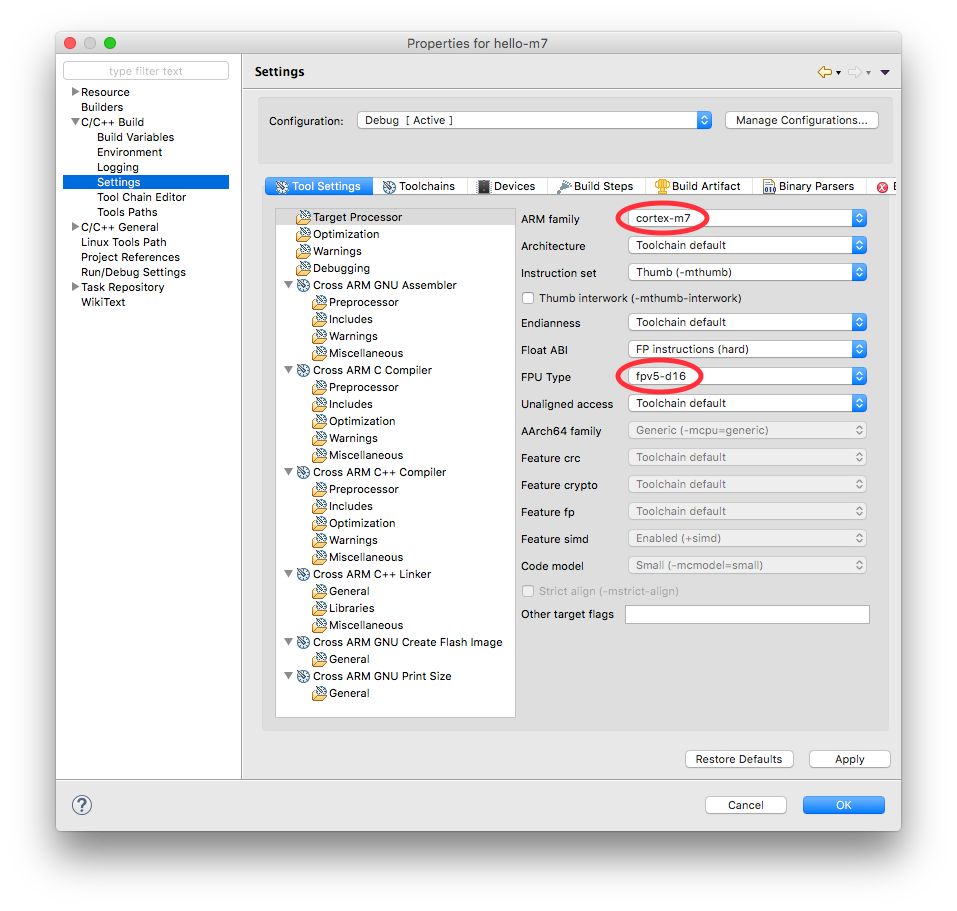
Starting with GNU ARM Eclipse version 2.10.2, from November 2015, full
Cortex-M7 support was added to the **C/C++ Build** → **Settings** →
**Tool Settings** page; it is now possible not only to select the **ARM
family**: **cortex-m7**, but also to select the new specific **FPU
type**:

(see
http://gnuarmeclipse.github.io/assets/images/2015/properties-c-settings-tools-family-m7.png)

The Hello World Cortex-M C/C++ Project wizard
---------------------------------------------

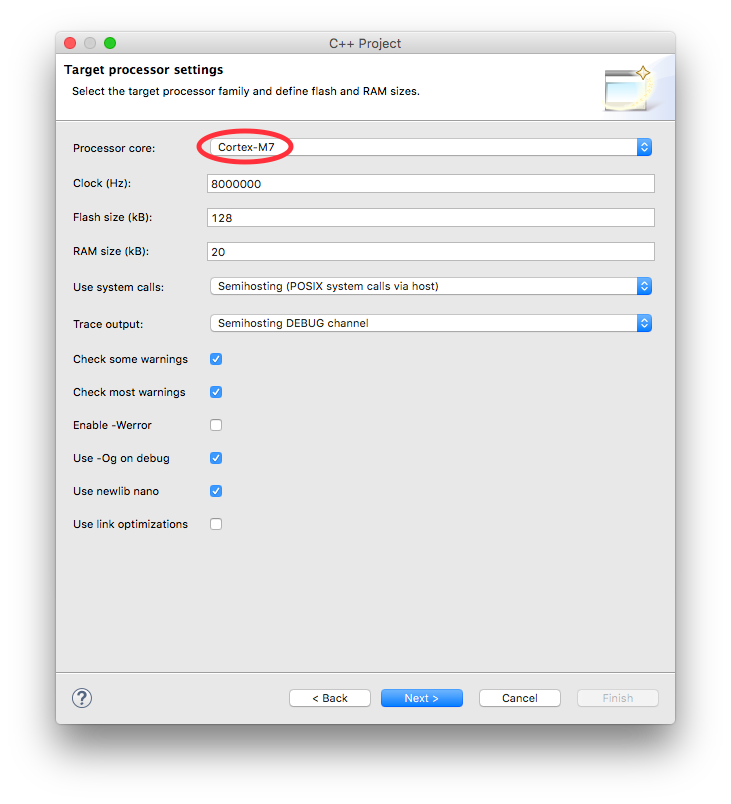
The project wizard was updated to create generic Cortex-M7 projects.

(see
http://gnuarmeclipse.github.io/assets/images/2015/wizard-cortexm-core.png)

The STM32F7xx C/C++ Project wizard
----------------------------------

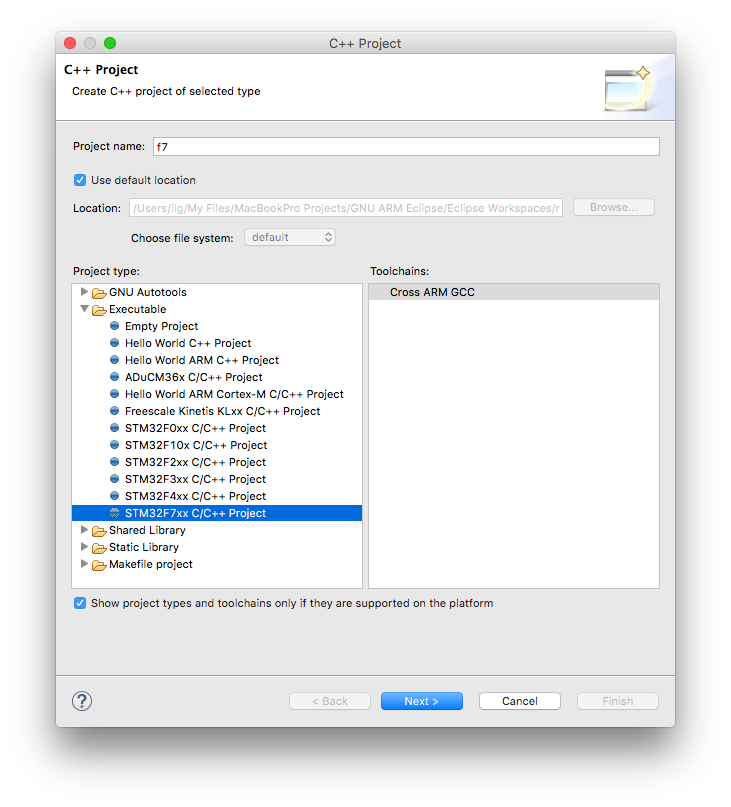
And last, but probably the most useful, a new template to create STM32F7
projects was added.

(see
http://gnuarmeclipse.github.io/assets/images/2015/wizard-stm32f7.png)

The wizard currently supports STM32F745xx, STM32F746xx, STM32F756xx, and
can create blinky projects for the STM32F746_EVAL and
STM32F746_DISCOVERY boards.

The created projects not only pass the build, but are ready to run on
the selected boards.

## More info

For more details about the **GNU ARM Eclipse** project, please refer to
the project site http://gnuarmeclipse.github.io/.
Thank you for this great Plugin!

I use it every day and I cannot imagine to use Eclipse for ARM without
it anymore, it is really a great set of useful tools.

Two questions:

* Can the default setting for "project"->"properties"->"C/C++
General"->"Preprocessor
Includes..."->"Providers"->"Build-Output-Parser"->"Compiler Command
Pattern" be given a more useful default setting for ARM Targets or is
this setting out of reach for your Plugin and I must file a bug report
with the CDT-Project?

* Is there a reason why the plugin is not available via the Eclipse
Marketplace?
> default setting ...

please file a GitHub Issue ticket with all details, and explain how you
would like the settings to be. I cannot guarantee a solution is
available, but I'll investigate.

> Eclipse Marketplace?

it should be, I registered it there recently.


regards,

Liviu