how can I read protect my STM32F4 with eclipse + openOCD JTAG ?

Guest #3159470
Rate this post
• ▲ useful
▼ not useful
hello Spencer ,

first of all thank you for your answer

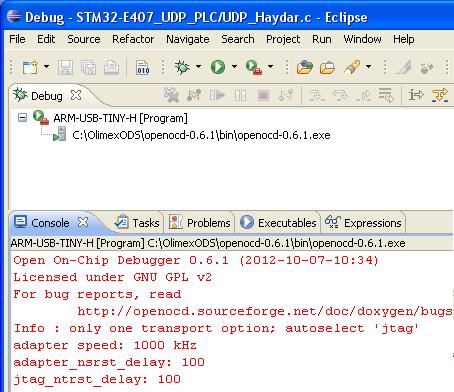
in the attachment the screenshot of my Eclipse

1) how can I upgrade this to 0.7.0 ?

2) should  I type "stm32f2x lock 0" in the console window ?

3) "power cycle may be required" - you mean power off and then on ?

4) I have stm32f4 - but your answer "stm32f2x" - is the command equal 
for both f2 and f4 ?

thank you
Attached files:
#3159510
Rate this post
• ▲ useful
▼ not useful
magnetron wrote:
> hello Spencer ,
>
> first of all thank you for your answer
>
> in the attachment the screenshot of my Eclipse
>
> 1) how can I upgrade this to 0.7.0 ?
>

depends in your OS, for windoze you could try here - 
http://www.freddiechopin.info

>
> 2) should  I type "stm32f2x lock 0" in the console window ?
>

yes or in gdb or a script.

>
> 3) "power cycle may be required" - you mean power off and then on ?
>

yes

>
> 4) I have stm32f4 - but your answer "stm32f2x" - is the command equal
> for both f2 and f4 ?
>

yes

Spen
Guest #3163830
Rate this post
• ▲ useful
▼ not useful
hello Spencer,

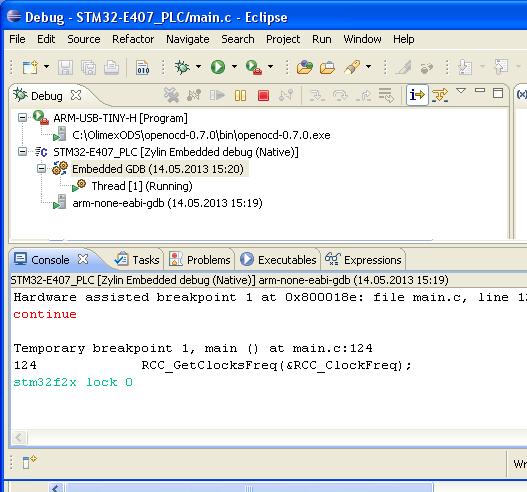
I downloaded unzipped and copied openocd-0.7.0 folder
into OlimexODS folder

first error olimex_stm32_e407. file was missing in \scripts\board 
directory
I copied this file from 0.6.1 into 0.7.0

then I run Eclipse chosen ARM_USB_TINY_H  and as you see
openocd-0.7.0.exe recognized the JTAG

afterwards I downloaded my code in my Olimex Board

I typed stm32f2x lock 0 in the console window

the console screen you can see in the attached picture

there was no acknowledgment of read protection

I tried to download my code again and there was no warning that
the uC is read protected

what am I doing wrong ?

thank you
Attached files:

Reply

Note: the original post is older than 6 months. Please don't ask any new questions in this thread, but start a new one.

Formatting
  • [c]C-Code[/c]
  • [code]code in other languages, ASCII drawings[/code]
  • [math]formula (LaTeX syntax)[/math]
  • [[Title]] – link to an article
  • Link to another post: right-click its post ID (#8078628), copy the address, paste it into the text

More about formatting

Post long source code as an attachment, not in the text.

Already registered? Log in

Not shown to anyone. We send you a link; your post appears once you confirm it there.

By submitting you create a free account and accept the terms of use.